FARMINGSTUDIO21 V1.1.8 BETA
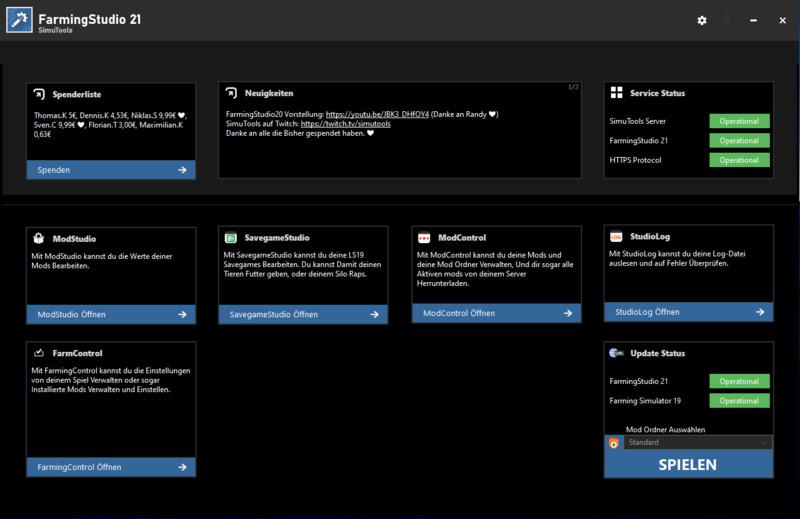
FarmingStudio21 is the perfect program to manage / edit mods / savegames
Modification:
– ModStudio loading error fixed
– Added ModStudio upload verification.
– UpdateAgend bug fixed.
– Fixed translation bug.
New:
– Added translation for log upload.
– Added translation for ModStudio.
Welcome to FarmingStudio21. Our masterpiece is done and we want to share the first version with you.
What is FarmingStudio21?
With FarmingStudio21 you can check your log file or edit / manage your mods or edit and manage your game and the savegames.
In short it is a must-have tool for the LS19
How does it work?
ModStudio: Select Zip, enter values (for Others, click Apply, Done)
SavegameStudio: Select savegame, enter values (at the level press Apply) Done
LogStudio: Read out log Press, done
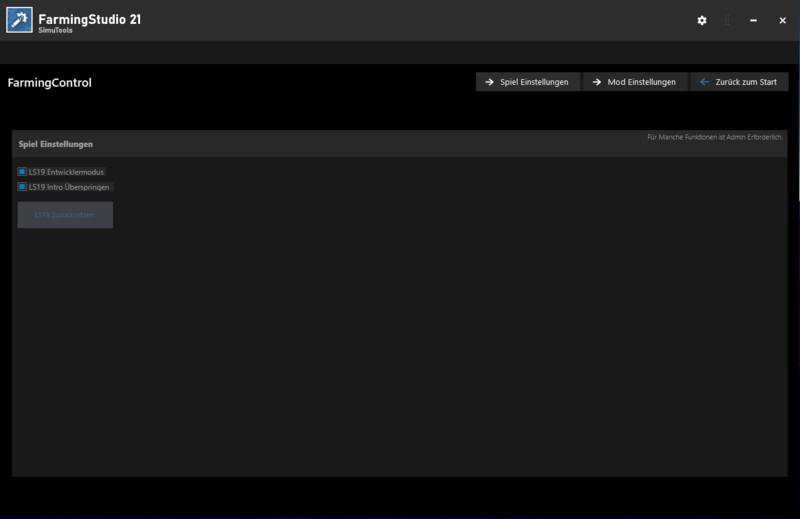
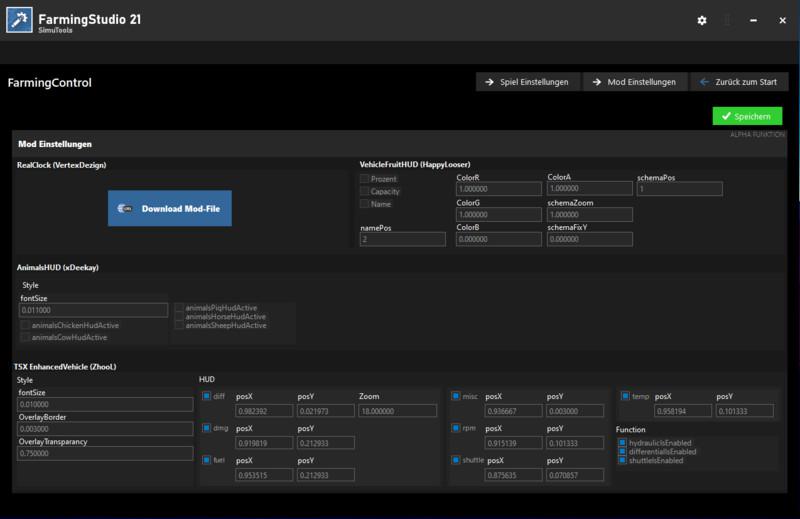
FarmControl: Manage Game Settings, Manage Mod Settings
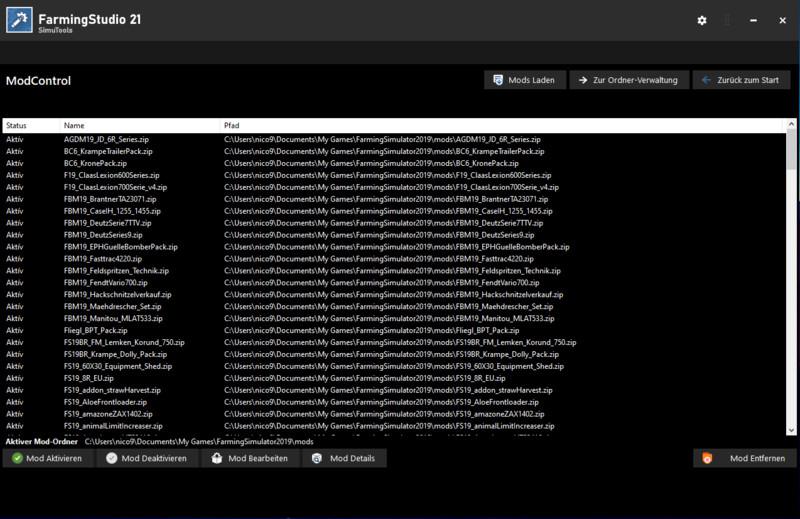
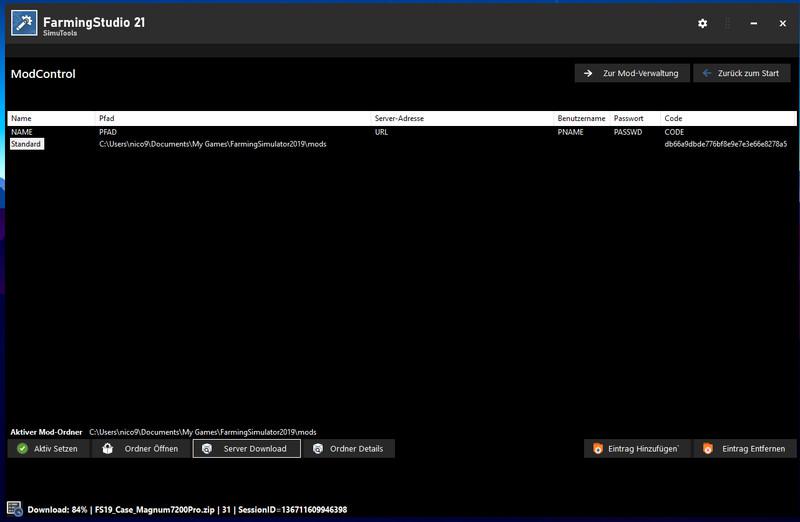
ModControl: Manage your mods / mods folder or download the server mods of your community.
What’s new?
We have brought new functions for you.
SavegameStudio can now edit the savegame more dynamically.
ModStudio can now edit the mods more dynamically
FarmControl (for managing and starting the game (currently only starting)
How do i install it?
Quite simply, download the zip file and unzip it. The install wizard will then guide you through the setup.
What is planned for the future?
We have many ideas for the future, it would take too long to list them all.
If you have any other suggestions for us, please let us know.
Known bugs
Currently no known
INFO ON CHANGING THE MODS
Please remember, you change mods for YOU! Uploading the modified mods is not permitted without the modder’s permission!
The program should make private changes possible for you and no more.
Data / accesses required by FarmingStudio20
FarmingStudio20 needs the following to function properly:
An Internet connection for the start page and the update notice. (Home updated every 45sec)
The Farming Simulator folder (by default in the documents)
The Mods folder path
The log path
The Farming-Simulator.exe (Simply select the shortcut)
Access to create folders (Documents / FarmingStudio20)
Creation of a settings file (% appdata% / local / FarmingStudio20)
(Only for the updater) Deletion and downloading of files as well as extended rights to be able to act in the installation directory.
A little hint for the people who think I have nothing better to do than put a virus on your PC …
The VirusTotal report says there is nothing … (to be found at the bottom) (Apart from 1. which you can ignore because the engine has a bang)
I have something better to do than do something like that.
I want to help the LS-Com and not make it worse than it already is …
Changelog:
Version 1.1.8 BETA
21.03.2021 FarmingStudio / UpdateAgend
– UpdateAgend protocol bug fixed
– FarmingStudio protocol error fixed
– ModControl Revised
– Home page loading error fixed
– Feedback system added.
– FarmingControl music check added
– FarmingControl music preselection added (Still empty)
– Fixed bug with server
– File Info Updated.
– Display errors fixed
– Fixed other errors
Version 1.1.6.1 BETA
– Fixed a bug in the updater
– Code optimization
– Fixed display bug (InstallFS)
CHANGELOG 1.1.6:
– Update can now be started from the start page
– LS19 can now be restarted.
– Changes to FarmingControl
– Added release notes for individual areas (to show changes to the areas in the future)
– Preparation for the LiveOverlay
– Preparations for ScriptEdit & MapEdit.
– Bugfix in the i18n system.
– Code optimizations.
– Fixed code bug.
– UpdateAgend: Bug fixed, code optimized, changes for the download check added. (FarmingStudio21 Update Check)
This version must first be checked and activated by a moderator so that it is visible to all users.
Version 1.1.5 BETA
– ModStudio general overhaul of the dynamic settings.
– Added translation upload.
– Adjusted the animation speed of the pages.
– Preparations for ScriptEdit & MapEdit.
– Bugfix in the i18n system.
– Code optimizations.
– Fixed code bug.
Credits:
SimuTools
Download mod
| File | File size |
|---|---|
 FarmingStudio21 - Setup
|
1 MB |


Nice ripoff of what FarmWrangler created well over 3 years ago. My suggestion, get his FS19 Dashboard as it is more functional and also heaps easier to use. Not to say anything of NOT being bug riddled.
looking good app, but none of ur items is working by me…he finds all the paths, but does not open one of it…for example the mod folder…he reconize it, but wil not open it…nothing happens…may u can look to it